

Alternatives to Caption.IM
Caption.IM turns any audio on your Mac into real-time captions, translations, and AI meeting summaries while keeping your data private.
20 alternatives found
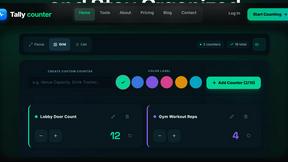
tallycounterweb.com
Tally Counter is a simple online counting tool for tracking attendance, workouts, inventory, sports scores, visitors, and everyday activities.

iHatePosting
Create once, tailor for each platform, and schedule posts across 14 social networks from one simple dashboard.

PDFWix
PDFWix is a free online PDF toolkit designed to make everyday PDF tasks simple, fast, and private.
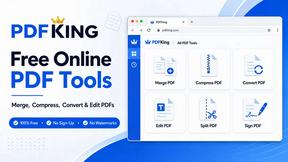
PDFKing
Free online PDF tools to merge, compress, convert, edit, sign, and manage documents—no signup, watermarks, or daily limits.



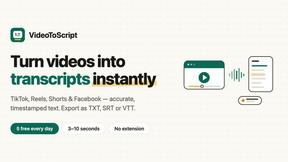
VideoToScript
Turn TikTok, Reels, Shorts, Facebook videos, audio, and video into accurate timestamped transcripts with TXT, SRT, and VTT exports.


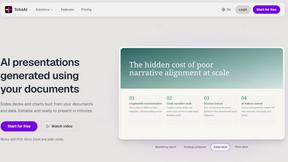

Wisegrid
Spreadsheet-native work management with AI formulas, dashboards, automation, reporting, and project views for growing teams.


Postqued
Schedule and publish social content across 10 platforms with one dashboard, API, and MCP built for teams and AI agents.


ideaFast
Find startup ideas worth building on Reddit in 60 seconds. Spot recurring pain, see what people actually need, and build around real demand.

ihatepdf.cv
ihatepdf.cv is a privacy-first, browser-based PDF platform that provides an extensive suite of tools for editing, converting, compressing, organizing,

TeamSlide
TeamSlide lets your team build on-brand presentations instantly by syncing approved slides from your content system directly into PowerPoint.

About Caption.IM Alternatives
Caption.IM is a privacy-focused AI captioning assistant designed specifically for macOS, falling under the productivity and management category. It transforms any audio playing on your computer into real-time captions, translations, and structured summaries, operating entirely locally on your device to ensure data security. Users commonly seek alternatives due to platform limitations, as Caption.IM is exclusive to macOS, leaving Windows and Linux users without access. Others may look for different pricing models, a broader set of integrations with specific applications, or the need for cloud-based collaboration features that local-only tools cannot provide. When evaluating an alternative, it is crucial to consider cross-platform compatibility, ensuring the solution works on your operating system and preferred applications like Zoom or Teams. You should also assess the balance between privacy and functionality, as some tools offer cloud processing for advanced features like team collaboration or multilingual support that local AI may limit. Additionally, examine the breadth of features such as real-time translation accuracy, the quality of meeting summaries, and whether the tool can capture system audio across all apps without requiring complex setup or intrusive browser extensions.
FAQs about Caption.IM Alternatives
What is Caption.IM?
Caption.IM is a privacy-first AI captioning assistant designed specifically for macOS. It captures system audio directly to provide real-time captions, instant translations, recordings, and structured meeting notes across almost any application, including Zoom, Google Meet, and YouTube. Unlike browser extensions or meeting bots, it operates locally on your device without needing cloud processing or bot participation in meetings.
Who is Caption.IM for?
Caption.IM is ideal for macOS users who need real-time captions and translations for accessibility, productivity, or information equity. It serves professionals in remote meetings, students watching online courses or webinars, and anyone consuming multilingual content like podcasts or livestreams. It is particularly valuable for users who prioritize privacy and want to avoid third-party bots or browser dependencies.
Is Caption.IM free?
The provided content does not specify whether Caption.IM is free or requires a purchase. However, it is described as a product with local AI and Local LLMs, suggesting it may be a premium tool with a one-time purchase or subscription model. Users should visit the official website or app store listing for the most current pricing details.
What are the main features of Caption.IM?
Caption.IM offers live subtitles for conversations, real-time translation of multilingual content, audio recording capabilities, and the transformation of long discussions into clear summaries, key points, action items, and mind maps. It works across various applications by capturing system audio directly, including Zoom, Google Meet, Microsoft Teams, YouTube, online courses, podcasts, webinars, and recorded videos. All processing is done locally on the device to maintain privacy.