
AI Email Filter
Sort Gmail, Fastmail, and supported IMAP inboxes using plain-language rules, sample reviews, and configurable AI forwarding actions.
Visit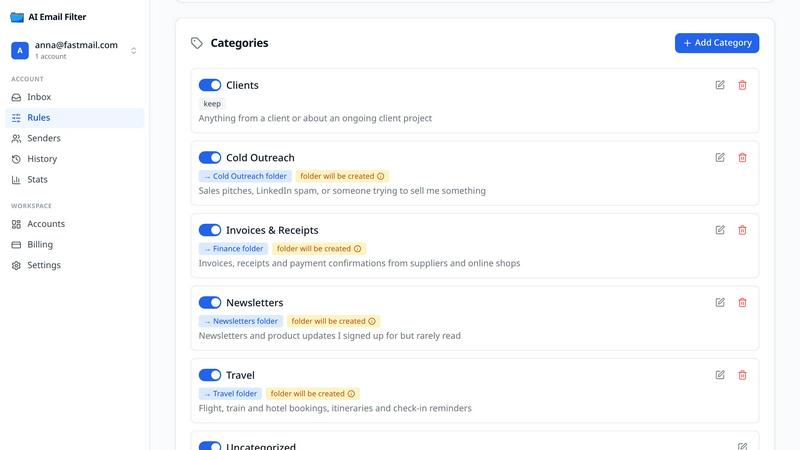
About AI Email Filter
For people who want a more organized inbox without changing email clients, AI Email Filter turns plain-language instructions into categories and actions. A user might ask it to collect invoices while excluding advertisements, then check how the categories apply to sample messages. Once satisfied, automatic sorting can be enabled.
The service supports Gmail, Google Workspace, Fastmail, Yahoo, Mailcow, and other IMAP providers with supported credentials. Gmail accounts may require an app password depending on settings; Proton Mail needs a local Bridge. Actions can include moving, flagging, marking read, and forwarding. Forwarding can add an optional AI summary, while attaching the original message.
History provides a record of completed actions and can reverse recorded folder moves while the message and original folder remain accessible. That recovery has limits: deletions are not automatically undone, and forwarded copies cannot be recalled. Users who need all processing inside their own infrastructure should note that configuring their own model alone does not move the hosted application's mail processing off its servers.
Features of AI Email Filter
- Plain-language category prompts with sample testing
- Multi-action rules for moving, flagging, marking read, and forwarding
- Optional summaries when forwarding, with the original email attached
- Action history and eligible folder-move reversal
Use Cases of AI Email Filter
- File invoices and receipts while excluding price-related promotions
- Review possible spam and advertising in a separate category
- Forward provider updates with a concise summary for colleagues
- Organize Gmail, Fastmail, or another supported IMAP account without replacing its email client
Frequently Asked Questions
Does connecting my own model keep all processing local?
No. You can choose where model requests go, but the hosted service still processes mail on its server. Both the application and model must run in your own infrastructure to keep processing there.
What email details may reach the model?
AI classification can send the sender, subject, and a body preview to the configured language model.
What can history undo?
Recorded folder moves can be reversed while the message and original folder remain accessible. Deletions are not automatically restored, and forwarded copies cannot be recalled.
Explore more in this category:
Similar to AI Email Filter
BE THE ONE
BE THE ONE brings daily reflection, movement, breathwork, meditation, affirmations, and creativity together with intentions and progress tracking.

ACA
ACA connects prospect research, multichannel campaigns, lead capture and content workflows for teams managing client acquisition.

Infograph
Convert research, class notes and web content into visual stories, then export or share them in formats suited to teaching and study.
Berth
Berth explains Mac disk usage by tracing leftovers to the apps and projects that created them, with recovery costs shown before cleanup.
Toolbox for Mac
Toolbox for Mac puts 102 media, document and system utilities in one native app for Mac users who want local tools and a one-time purchase.
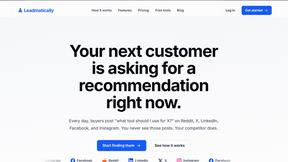
Leadmatically
Leadmatically finds intent signals in social posts and lets businesses choose when AI drafts or sends sales outreach.
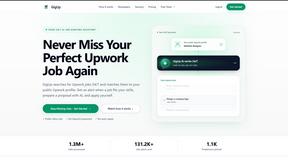
GigUp
GigUp helps freelancers assess Upwork opportunities with profile-based match scores, explanations, alerts, and editable proposal drafts.

Safe Outreach
Safe Outreach checks LinkedIn extensions against its detection list and explains how code reviews can add context to a risk assessment.