
Best Image & Photo products (22+)
Discover 22+ best image & photo products. Compare features, pricing, and reviews. Free and paid options available.
Toolbox
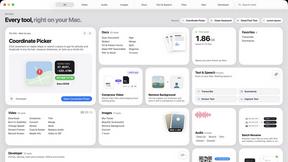
96 private Mac tools in one app: compress video, sign PDFs, remove backgrounds, transcribe. Offline, no account, pay once.
ImageAgent
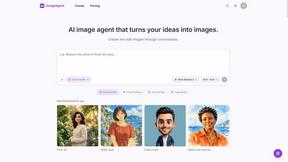
ImageAgent helps you reuse images from your library for design projects, in a browser-based creative workspace.
ImageGenerator
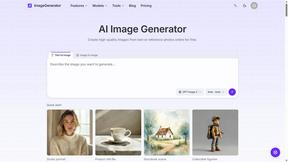
Create and edit AI images online with multiple models, text-to-image, image-to-image, background removal, and upscaling.

AI Clothes Changer
Free AI clothes changer online. Swap outfits and try on clothes from a photo in minutes — create a free account to start, no card required.

Dola AI
Freemium AI creative studio: generate images and videos, edit photos and films, compose 3D scenes, and work with docs, sheets, slides and PDFs.
filmcraft
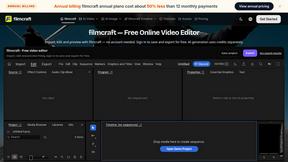
Free online video editor in your browser: import, color, audio and preview with no account. Optional AI tools use credits.
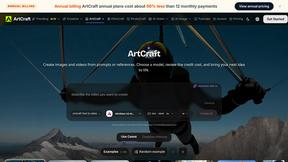
ArtCraft
Browser creative studio for images, video and 3D: compose, edit, stage scenes and organize references. AI generation uses credits.
Dreamina AI
Make any images possible — generate, edit, and transform images with AI models like GPT Image and Gemini in seconds.
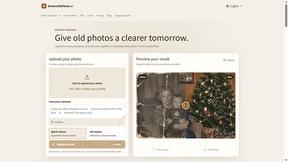
RestoreOldPhoto
Restore old photos with RestoreOldPhoto.ai: repair scratches, creases and fading, sharpen faces and details, and optionally colorize family memories.
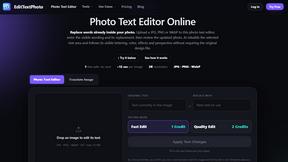
EditTextPhoto
AI-powered image text editor to edit, replace, fix, or translate text in images while preserving the original font, color, size, and style.
AiAgeFilter
Free AI age filter: upload an adult portrait, add 10-40 years, meet your older self. No app needed.
AppIconGenerator
Generate iOS and Android app icons from any image and export all platform sizes for free.
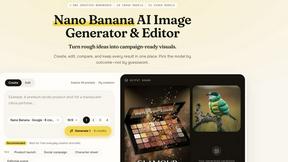
Nano AI
Create and edit AI images, generate videos, and compare models in one creative workbench.
Screen Issues
Free Online Screen Test Tool - Instantly diagnose dead pixels, lines, color issues, and flickering. Multiple test modes, no download needed.
FreeVideoGenerator
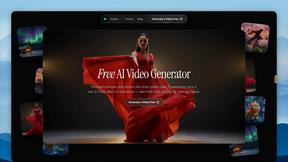
FreeVideoGenerator is a free AI video generator that turns text prompts and photos into short video clips.
FreeCreate
Create AI images from text or reference photos and turn prompts or still images into short videos with FreeCreate. Start free—no account needed.

AIPetGen
AIPetGen turns a photo of your dog, cat, or other pet, or a written description, into a new picture or a short animation.

StyleCut
StyleCut is an AI hairstyle changer that lets you preview 70+ haircut ideas on your own photo before visiting the salon.

xDevTools
1000+ versatile developer tools: format, encode, calculate, and convert. All in your browser.

Clean Image AI-Powered Photo Cleanup
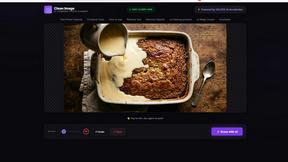
Clean Image is a private AI photo cleanup tool that removes text, logos, and blemishes locally in your browser with no data uploads.
Square Face Generator
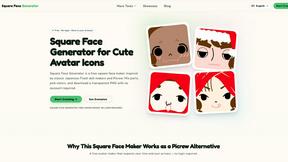
Square Face Generator is a free browser-based avatar maker for creating cute square character icons with transparent PNG downloads and no login.
Popular Alternatives in Image & Photo
About Image & Photo products
Image and Photo tools help users capture, edit, enhance, organize, and share visual content for personal, creative, and commercial purposes. This category includes photo editors, image enhancers, background removers, batch processing tools, image compression utilities, and AI-powered visual content creation platforms.
Whether you are editing product photos for an online store, enhancing images for social media, removing backgrounds for marketing materials, or managing large photo libraries, these tools provide the visual editing capabilities needed for professional-quality image output.
Compare image and photo tools by their editing features, AI capabilities, batch processing support, output quality, and pricing to find the right solution for your visual content workflow.
FAQs for Image & Photo
What types of image tools are listed?
This category includes photo editors, AI image enhancers, background removal tools, image compression utilities, batch processing platforms, screenshot tools, image format converters, and visual content creation platforms.
Can AI improve my photos automatically?
Yes. Many image tools use AI to automatically enhance resolution, adjust lighting, remove noise, sharpen details, colorize images, and fix common photo issues with minimal manual intervention.
Do image tools support batch processing?
Yes. Many tools offer batch processing for resizing, formatting, watermarking, compressing, and enhancing multiple images simultaneously, saving significant time for users working with large image collections.
What image formats are typically supported?
Most tools support JPEG, PNG, WebP, TIFF, SVG, and GIF formats. Professional tools also support RAW camera formats, PSD, and high-dynamic-range formats. Check individual listings for specific format support.
Are there free image editing tools?
Yes. Many image tools offer free tiers with core editing features, basic AI enhancements, and standard export options. Premium plans typically unlock advanced AI features, batch processing, and higher resolution outputs.
How do image tools handle quality and compression?
Quality image tools use smart compression algorithms that reduce file size while preserving visual quality. Many offer adjustable compression levels and format-specific optimization to balance file size with output quality for your specific use case.