
Caption.IM
Caption.IM turns any audio on your Mac into real-time captions, translations, and AI meeting summaries while keeping your data private.
Visit
About Caption.IM
Caption.IM is a privacy-first, real-time AI captioning assistant designed exclusively for macOS. It transforms any audio output from your Mac into live subtitles, instant translations, recordings, and structured meeting notes, all processed locally on your device. Unlike browser extensions or meeting bots that require integration with specific platforms, Caption.IM captures system audio directly, making it compatible with virtually any application that produces sound. This includes popular video conferencing tools like Zoom, Google Meet, and Microsoft Teams, as well as media sources such as YouTube, online courses, podcasts, livestreams, webinars, and recorded videos. The product is built with local AI and Local LLMs at its core, ensuring that all speech recognition and processing can run entirely on your Mac. This approach prioritizes user privacy, as your conversations and audio data never leave your computer. Caption.IM is optimized for Apple Silicon (M1, M2, M3, and later) to deliver ultra-fast speech recognition with minimal latency and efficient power usage. It caters to a diverse audience, including remote workers, online learners, multilingual teams, content creators, researchers, and anyone needing improved accessibility or productivity. The application provides a floating subtitle window that elegantly overlays on your screen, integrating seamlessly with the macOS environment. By turning any conversation into searchable, translatable knowledge instantly, Caption.IM enhances information equity and productivity without the need for bots joining meetings, browser dependency, or complicated setup procedures. Its intuitive design and frictionless operation allow users to open it and use it directly, as evidenced by user feedback praising its elegant UI and turnkey solution for live subtitles on any video content.
Features of Caption.IM
Real-time Transcription
Caption.IM provides live captioning for any audio source on your Mac. It generates accurate, real-time subtitles for meetings, videos, podcasts, and calls. The transcription engine is optimized for Apple Silicon, ensuring minimal latency and efficient power usage. Users can see spoken words appear on their screen instantly, making it easier to follow conversations, capture important details, and maintain focus without manual note-taking. The rebuilt audio pipeline with source-stage 16 kHz mono Float32 conversion has further improved transcription accuracy in recent updates.
Instant Translation
The application supports real-time translation of multilingual content. As audio plays in one language, Caption.IM can display translated subtitles in another language, allowing users to understand foreign language meetings, lectures, videos, or podcasts without delay. This feature is particularly valuable for global teams, international students, and content consumers who work with multiple languages. The translation engine runs locally on your device, preserving privacy while enabling seamless cross-language communication.
Floating Subtitle Window
Caption.IM features an elegant, transparent overlay window that floats on top of other applications. This subtitle window integrates seamlessly with macOS, allowing users to position it anywhere on their screen for optimal visibility. The transparent design ensures that captions do not obstruct critical content underneath. Users can resize and move the window as needed, making it a non-intrusive tool that enhances rather than disrupts the workflow. This feature works across all compatible applications without requiring any changes to the user interface of those apps.
AI Meeting Summaries
After conversations or meetings, Caption.IM automatically generates structured summaries, key points, action items, and even mind maps. This feature transforms long discussions into concise, actionable insights without manual effort. The AI analyzes the transcribed text to extract the most important information, helping users quickly review what was discussed, identify decisions made, and track assigned tasks. This capability is ideal for professionals who attend multiple meetings daily and need to efficiently capture and organize information for future reference.
Use Cases of Caption.IM
Remote Meetings and Virtual Collaboration
For professionals working remotely, Caption.IM provides real-time captions during video conferences on platforms like Zoom, Google Meet, and Microsoft Teams. This ensures that participants never miss critical information due to audio issues, accents, or background noise. The AI-generated meeting summaries further enhance productivity by providing clear takeaways and action items after each session. Team members can focus on the conversation instead of taking notes, knowing that Caption.IM will capture and organize the discussion for later review.
Online Learning and Education
Students and educators benefit from live subtitles during online courses, lectures, and webinars. Caption.IM makes educational content more accessible for non-native speakers, hearing-impaired individuals, and anyone who prefers reading along with audio. The translation feature allows learners to consume content in different languages, broadening access to global educational resources. Researchers can also use the tool to transcribe and analyze recorded lectures or interviews, turning audio into searchable text for study and citation purposes.
Multilingual Team Communication
Global teams often face language barriers during meetings and collaborative sessions. Caption.IM bridges this gap by providing real-time translation of spoken content. Team members who speak different languages can participate in the same meeting and view subtitles in their preferred language. This fosters more inclusive communication, reduces misunderstandings, and enables effective collaboration across diverse linguistic backgrounds. The local processing ensures that sensitive business conversations remain private and secure.
Content Creation and Accessibility
Content creators, including podcasters, video producers, and livestreamers, can use Caption.IM to generate accurate captions for their content. This improves accessibility for viewers who are deaf or hard of hearing, as well as those who watch videos without sound. The tool also helps creators repurpose audio content into written summaries, show notes, and social media posts. By automating the captioning process, creators can save time and ensure their content reaches a wider audience without compromising on quality or accuracy.
Frequently Asked Questions
Is Caption.IM compatible with all Mac applications?
Yes, Caption.IM captures system audio directly, which means it works with virtually any application that produces sound on your Mac. This includes video conferencing tools like Zoom, Google Meet, and Microsoft Teams, as well as media players, web browsers for YouTube and online courses, podcast apps, and recorded video players. There is no need for browser extensions or application-specific integrations, making it a universal solution for real-time captioning.
Does Caption.IM require an internet connection to function?
No, Caption.IM is designed with privacy-first local AI. All speech recognition and processing can run entirely on your Mac without requiring an internet connection. This ensures that your conversations and audio data never leave your device, providing maximum security and privacy. However, certain features like real-time translation may benefit from online resources if enabled, but the core transcription functionality operates completely offline.
What are the system requirements for Caption.IM?
Caption.IM requires macOS 15.6 or later and is optimized for Apple Silicon (M1, M2, M3, and later chips). The application is designed to deliver ultra-fast speech recognition with minimal latency and efficient power usage on these processors. The app size is approximately 18.1 MB, and it is available in English. It is categorized as a productivity tool and is suitable for users aged 4 and above.
How does Caption.IM handle my privacy and data security?
Caption.IM prioritizes user privacy by processing all speech recognition and transcription locally on your Mac. Your audio data and conversations never leave your device, unlike cloud-based captioning services that send audio to remote servers. The application does not collect any personal data, as confirmed by the developer's privacy policy. There are no bots joining your meetings, no browser dependency, and no complicated setup that could compromise your security.
Explore more in this category:
Similar to Caption.IM
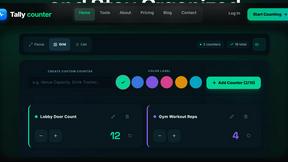
tallycounterweb.com
Tally Counter is a simple online counting tool for tracking attendance, workouts, inventory, sports scores, visitors, and everyday activities.

iHatePosting
Create once, tailor for each platform, and schedule posts across 14 social networks from one simple dashboard.

PDFWix
PDFWix is a free online PDF toolkit designed to make everyday PDF tasks simple, fast, and private.

PDFKing
Free online PDF tools to merge, compress, convert, edit, sign, and manage documents—no signup, watermarks, or daily limits.



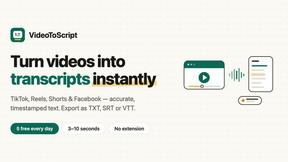
VideoToScript
Turn TikTok, Reels, Shorts, Facebook videos, audio, and video into accurate timestamped transcripts with TXT, SRT, and VTT exports.