
RoomCreator
RoomCreator creates AI room and exterior design previews from photos, sketches, or floor plans to help people compare ideas before making changes.
Visit
About RoomCreator
RoomCreator is aimed at people who need to see a design direction in context. Start with an existing space, a rough sketch, or a floor plan, then choose a style and generate a realistic preview. The site positions the tool for homeowners weighing decor or renovation options, agents preparing property visuals, and designers exploring concepts with clients.
Its breadth matters if a project crosses from interiors to curb appeal: the toolkit includes exterior visualization, brush-based edits, furniture removal, and brief motion videos. A useful constraint is that each experiment draws on credits, and image counts are estimates; the site says credits are what users spend in the app. Treat the result as a way to compare possibilities, then validate practical details before purchasing materials or starting work.
Features of RoomCreator
- Create interior concepts from photos, sketches, or floor plans.
- Explore exterior colors, finishes, styles, and landscaping.
- Change selected image areas with the Brush Editor.
- Generate an empty-room image or a short motion video.
Use Cases of RoomCreator
- Preview a renovation direction before work begins.
- Test staging ideas for a property listing.
- Show design concepts to clients or household members.
Frequently Asked Questions
Can I start without a finished room photo?
Yes. The product page says rough sketches and floor plans can be used as inputs.
Are image counts guaranteed by a credit pack?
No. The site describes image counts as estimates and says credits are the amount spent in the app.
Can I make exterior previews too?
Yes. RoomCreator includes an exterior visualization tool for styles, colors, materials, and landscaping.
Pricing of RoomCreator
RoomCreator sells credit packs as one-time purchases, with no subscription. A listed Starter pack is $9.99 for 100 credits; credits do not expire.
Similar to RoomCreator

Berth
Berth explains Mac disk usage by tracing leftovers to the apps and projects that created them, with recovery costs shown before cleanup.

ViralPayouts
ViralPayouts tracks affiliate sales and recruiter overrides with usage-based fees and no monthly subscription for brands.
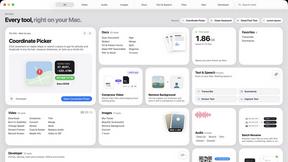
Toolbox for Mac
Toolbox for Mac puts 102 media, document and system utilities in one native app for Mac users who want local tools and a one-time purchase.

Safe Outreach
Safe Outreach checks LinkedIn extensions against its detection list and explains how code reviews can add context to a risk assessment.
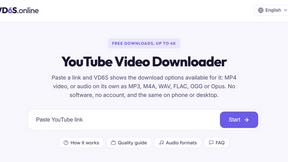
VD6S.online
Choose a YouTube download resolution from the options available for the original video, from mobile friendly sizes up to 4K or 8K.


GTA 6 All Cheats
Review platform-specific GTA 6 cheat candidates for PS5, Xbox and PC, with phone formats and an explicit unconfirmed status.

Todowing
Todowing is a Chrome companion for Todoist that combines focus timers, time totals, nested subtasks and read-only Apple Calendar events.