
Online Audio Converter
Convert audio and video files to MP3, WAV, FLAC, and 25+ formats instantly online with no signups, installs, or watermarks.
Visit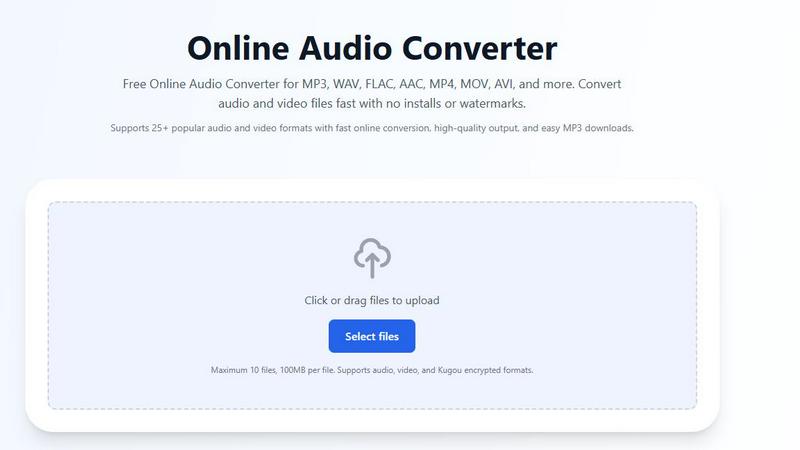
About Online Audio Converter
Online Audio Converter is a powerful, browser-based tool designed to simplify the process of converting audio and video files into a wide range of popular audio formats. This free online application eliminates the need for software downloads, complex installations, or user registrations, offering a seamless experience for anyone looking to change file formats quickly and efficiently. The tool supports over 25 different formats, including common audio types like MP3, WAV, FLAC, and AAC, as well as video formats such as MP4, MOV, and AVI, allowing users to extract audio tracks from video files with ease. A standout feature is its support for Kugou encrypted formats like KGM, KGG, KGMA, and VPR, making it a unique solution for users dealing with proprietary audio files. The service is designed for both beginners and experienced users, providing a straightforward three-step process: upload, convert, and download. With a strong emphasis on security, all file transfers are protected by advanced HTTPS encryption, and uploaded files are automatically deleted from servers after conversion. Rated 4.8 out of 5 based on over 850 reviews, Online Audio Converter is trusted for its reliability, speed, and high-quality output, making it an essential tool for musicians, podcasters, content creators, and everyday users who need to manage their audio files without hassle.
Features of Online Audio Converter
Extensive Format Support
Online Audio Converter supports over 25 popular audio and video formats, including MP3, WAV, FLAC, AAC, OGG, M4A, WMA, AIFF, OPUS, and AMR for audio, as well as MP4, MOV, AVI, MPEG, MKV, and WEBM for video. This broad compatibility ensures users can convert files from virtually any source, including modern streaming codecs and proprietary formats. Additionally, the tool uniquely handles encrypted Kugou formats such as KGM, KGG, KGMA, and VPR, decrypting them during processing to extract the real audio stream for conversion. This feature is particularly valuable for users who have downloaded music from Kugou and need to convert it to standard, portable formats like MP3.
100% Free with No Restrictions
The tool is completely free to use with no hidden charges, subscriptions, or watermarks. Users can convert as many files as needed without any quality restrictions or limitations on the number of conversions. Unlike many online services that impose daily caps or require premium accounts for high-quality output, Online Audio Converter offers its full feature set at no cost. This includes the ability to upload up to 10 files simultaneously, each up to 100MB in size, making it suitable for batch processing larger audio projects without any financial commitment.
Secure and Private Processing
Security and privacy are paramount, with all file transfers protected by advanced HTTPS encryption to prevent unauthorized access during upload and download. Once a conversion is complete, all files are automatically and permanently deleted from the server, ensuring no residual data remains. This zero-retention policy is ideal for users handling sensitive or copyrighted material, as it guarantees that personal audio files are not stored or misused. The browser-based operation also means no software is installed locally, reducing the risk of malware or tracking.
Customizable Conversion Settings
Users have granular control over output quality through adjustable settings including bitrate, sample rate, resolution, and audio quality. For example, when converting to MP3, users can choose between different bitrates (e.g., 128kbps for standard quality or 320kbps for high fidelity), while WAV conversions allow selection of sample rates up to 48kHz. This flexibility enables users to optimize file size versus audio quality based on their specific needs, whether for professional audio editing, podcast production, or casual listening. The interface clearly presents these options before conversion starts.
Use Cases of Online Audio Converter
Creating Podcast Episodes from Video Interviews
Podcasters often record interviews using video conferencing tools, resulting in MP4 or MOV files. Online Audio Converter allows them to extract the audio track and convert it to MP3 or AAC format, which is ideal for podcast distribution. The customizable bitrate settings help balance file size and audio clarity, ensuring episodes are broadcast-ready without large file sizes. The batch upload feature is particularly useful when processing multiple interview clips, saving time and streamlining the production workflow for weekly shows.
Converting Music Library for Portable Devices
Music enthusiasts with large libraries in lossless formats like FLAC or WAV may need to convert files to MP3 or AAC for use on portable devices with limited storage. Online Audio Converter enables batch conversion of up to 10 files at once, allowing users to quickly create compressed versions of their favorite albums. The ability to adjust sample rate and bitrate ensures that the converted files maintain acceptable quality for on-the-go listening while significantly reducing storage requirements, making it easy to sync music to smartphones or MP3 players.
Extracting Soundtracks from Educational Videos
Students and educators often need to extract audio from educational video content for study or review purposes. For example, converting a lecture recorded as an MP4 or AVI file into an MP3 audio file allows for focused listening during commutes or while multitasking. The tool's support for various video formats ensures compatibility with different recording devices, and the simple three-step process makes it accessible for users with limited technical skills. The secure processing also ensures that copyrighted educational materials are not stored on servers.
Decrypting and Converting Kugou Encrypted Files
Users who download music from the Kugou platform often receive files in encrypted formats like KGM, KGG, KGMA, or VPR, which are not playable on standard devices or media players. Online Audio Converter's unique ability to decrypt these files during conversion allows users to transform them into universally compatible formats such as MP3 or WAV. This use case is essential for anyone who wants to move their Kugou music library to other platforms, create backup copies, or integrate these tracks into playlists on devices that do not support proprietary formats.
Frequently Asked Questions
Is the audio converter really free?
Yes, Online Audio Converter is completely free to use with no hidden charges, subscriptions, or limits. You can convert as many files as you need without any watermarks or quality restrictions. There are no premium tiers or paywalls, and all features, including batch processing and custom settings, are available at no cost.
How long does audio conversion take?
Conversion time depends on file size, server load, and the selected output format. Most audio files under 10MB convert in just a few seconds. Larger files, such as full-length video files or high-resolution FLAC tracks, may take a minute or two. The tool processes files on high-performance servers, and you can leave the page while it works, as downloads are available upon completion.
What file formats are supported for input and output?
The tool supports over 25 input formats, including MP3, WAV, FLAC, AAC, OGG, M4A, WMA, AIFF, OPUS, AMR, MP4, MOV, AVI, MPEG, MKV, WEBM, and Kugou encrypted formats (KGM, KGG, KGMA, VPR). Output formats include MP3, WAV, OGG, FLAC, AAC, M4A, and more. Video files are automatically processed to extract their audio track for conversion.
Are my files safe and private during conversion?
Absolutely. All file transfers are protected by advanced HTTPS encryption, ensuring your data cannot be intercepted during upload or download. Files are automatically and permanently deleted from our servers immediately after conversion is complete. We do not store, share, or access your files for any purpose, making the service safe for sensitive or copyrighted content.
Pricing of Online Audio Converter
The Online Audio Converter is completely free to use. There are no pricing plans, subscription tiers, or hidden fees. All features, including batch uploading, custom conversion settings, support for all formats, and secure processing, are available at no cost. Users can convert unlimited files without any watermarks or quality restrictions.
Explore more in this category:
Similar to Online Audio Converter
Audio To Transcript
Turn any voice into clear text in minutes.
SongByLink
Free universal music link generator and audio finder from social video links.
AI Music Generator
Create studio-quality, royalty-free music from text in just 60 seconds with our free and user-friendly AI Music Generator.
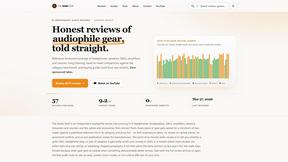
The Audio Stuff
The Audio Stuff offers unbiased, in-depth reviews of audiophile gear to help you build the perfect hi-fi system without compromise.