

Alternatives to Online Audio Converter
Convert audio and video files to MP3, WAV, FLAC, and 25+ formats instantly online with no signups, installs, or watermarks.
4 alternatives found
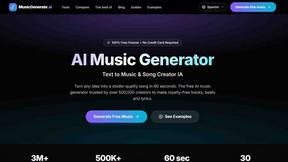
AI Music Generator
Create studio-quality, royalty-free music from text in just 60 seconds with our free and user-friendly AI Music Generator.
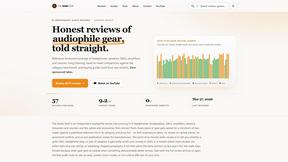
The Audio Stuff
The Audio Stuff offers unbiased, in-depth reviews of audiophile gear to help you build the perfect hi-fi system without compromise.
About Online Audio Converter Alternatives
Online Audio Converter is a web-based tool categorized within the Audio & Music software landscape, designed to facilitate the quick conversion of audio and video files into various digital formats such as MP3, WAV, FLAC, and AAC. It operates entirely within a browser, requiring no software installation, and is particularly valued for its ability to handle both audio and video inputs without adding watermarks. This makes it a convenient, entry-level solution for users needing straightforward, fast conversions without the commitment of a desktop application. Users commonly seek alternatives to this type of converter for several key reasons, including the need for more advanced batch processing capabilities, higher file size limits, or offline functionality for sensitive or large projects. Others may require specific output quality controls, such as variable bitrate settings or sample rate adjustments, which simpler online tools often lack. When evaluating a replacement, it is important to consider the balance between ease of use and feature depth, prioritizing tools that offer robust format support, clear privacy policies regarding file handling, and the ability to handle your typical file sizes without performance degradation or hidden costs.
FAQs about Online Audio Converter Alternatives
What is Online Audio Converter?
Online Audio Converter is a free, web-based tool that allows you to convert audio and video files into popular audio formats like MP3, WAV, FLAC, and AAC. It also supports converting video files from formats such as MP4, MOV, and AVI into audio. The service operates entirely in your browser, meaning no software installation is required, and it processes files quickly without adding watermarks to the output.
Who is Online Audio Converter for?
Online Audio Converter is designed for a broad audience, including casual users who need to quickly change a song's format for a personal device, content creators who want to extract audio from video clips, and professionals who require a fast, no-install solution for occasional conversions. It is particularly useful for individuals who do not want to download or manage dedicated software and prefer a straightforward, browser-based workflow. The tool serves anyone needing to convert media files without the complexity of advanced audio editing suites.
Is Online Audio Converter free?
Yes, Online Audio Converter is a free service that allows you to convert audio and video files without any direct cost. There are no subscription fees or hidden charges for basic conversions, and the tool does not impose watermarks on the converted files. However, like many free online services, there may be limitations on file size or the number of concurrent conversions, which are typical for maintaining server performance and free access.
What are the main features of Online Audio Converter?
The main features of Online Audio Converter include support for a wide range of input and output formats, including MP3, WAV, FLAC, AAC for audio, and MP4, MOV, AVI for video. It offers fast conversion speeds directly within the web browser, eliminating the need for software installation or account creation. Additionally, the tool is completely free to use and guarantees that no watermarks are added to the final audio file, preserving the original quality of your media.