
BoltShot
BoltShot is a simple, ultra-fast API that transforms any URL into high-quality screenshots without browser management.
Visit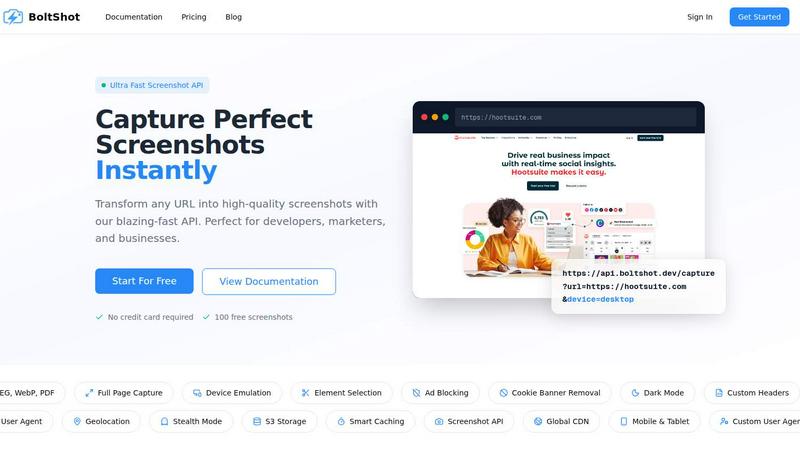
About BoltShot
BoltShot is a high-performance website screenshot API designed to transform any URL into pixel-perfect, high-quality screenshots through a simple and efficient API request. It supports multiple output formats including PNG, JPEG, WebP, and PDF, making it versatile for various application needs. The platform is built for developers, marketers, and businesses who require reliable, fast, and clean screenshot capture without the overhead of managing complex browser infrastructure. BoltShot eliminates the need to maintain headless Chrome instances, Puppeteer scripts, or server clusters by providing a fully managed, scalable solution. Its core value proposition lies in delivering ultra-fast screenshot generation with advanced features such as full-page capture, device emulation for mobile, tablet, and desktop, custom viewport settings, and precise element selection using CSS selectors. Additionally, BoltShot includes built-in capabilities for ad blocking, cookie banner removal, dark mode rendering, custom headers, geolocation emulation, stealth mode, and smart caching to ensure clean, efficient results. The platform integrates seamlessly into workflows for e-commerce previews, automated reporting, web archiving, testing, and compliance monitoring. With a global CDN for fast delivery, S3 storage options, and a generous free tier offering 100 screenshots without requiring a credit card, BoltShot is positioned as a comprehensive, developer-friendly solution for all screenshot capture needs.
Features of BoltShot
Multiple Output Formats and Full Page Capture
BoltShot supports a wide range of output formats including PNG, JPEG, WebP, and PDF, allowing users to choose the best format for their specific use case. The full-page capture feature automatically scrolls through entire web pages to capture content that extends beyond the initial viewport, ensuring no information is missed. This is particularly useful for capturing long-form articles, product listings, or documentation pages that require a complete visual record. Users can also capture specific page elements using CSS selectors for precise targeting.
Device Emulation and Custom Viewport Settings
The platform offers robust device emulation capabilities, enabling users to capture screenshots as they would appear on mobile, tablet, or desktop devices. This feature is essential for responsive design testing and ensuring consistent visual experiences across different screen sizes. Additionally, BoltShot supports custom viewport settings, giving developers full control over the dimensions and pixel density of the captured screenshot. This flexibility allows for pixel-perfect rendering tailored to specific requirements.
Clean Capture with Ad Blocking and Cookie Banner Removal
BoltShot includes intelligent, built-in features to produce clean, distraction-free screenshots. The ad blocking functionality automatically filters out advertisements, while the cookie banner removal feature detects and eliminates consent popups and notification overlays. The platform also removes modal dialogs and other intrusive elements that can clutter screenshots. These capabilities ensure that captured images are professional, focused, and suitable for direct use in presentations, reports, or marketing materials without manual editing.
Advanced Capabilities: Stealth Mode, Geolocation, and Custom Headers
For more sophisticated use cases, BoltShot offers advanced features such as stealth mode, which helps avoid detection by websites that may block automated screenshot requests. The geolocation emulation feature allows users to simulate browsing from specific locations, which is valuable for testing region-specific content. Custom user agents and custom headers provide additional control over how the request is presented to target websites, enabling accurate rendering of content that depends on these parameters. Smart caching further enhances performance by reducing redundant captures.
Use Cases of BoltShot
E-commerce Previews and Product Listings
Online retailers and e-commerce platforms can use BoltShot to automatically generate high-quality screenshots of product pages, category listings, and promotional banners. These screenshots can be used for creating thumbnail previews, generating social media assets, or building visual catalogs. The full-page capture and device emulation features ensure that product images, descriptions, and pricing are accurately represented across different devices, helping to maintain a consistent brand experience and improve customer engagement.
Automated Reporting and Dashboard Monitoring
Businesses that rely on data dashboards, analytics platforms, or reporting tools can integrate BoltShot to capture scheduled screenshots of key metrics and visualizations. This automation eliminates the need for manual screenshotting, saving time and ensuring consistency. The clean capture features remove any popups or overlays that might obscure data, while the multiple output formats allow for easy embedding into PDF reports, email newsletters, or internal documentation. Compliance teams can also use this for monitoring regulatory dashboards.
Web Archiving and Content Preservation
Organizations involved in digital preservation, legal compliance, or historical archiving can leverage BoltShot to capture and store snapshots of web pages at specific points in time. The platform's ability to handle full-page captures, emulate different devices, and block distracting elements ensures that archived content is complete and accurate. The S3 storage integration with CDN delivery provides a secure, scalable, and fast way to store and retrieve archived screenshots, making it an ideal tool for libraries, legal firms, and research institutions.
Visual Regression Testing and Quality Assurance
Software development teams can incorporate BoltShot into their CI/CD pipelines for visual regression testing. By capturing screenshots of web applications before and after code changes, teams can automatically detect visual differences, layout shifts, or rendering errors. The custom viewport and device emulation features allow for testing across multiple screen sizes simultaneously. The precise element selection using CSS selectors enables focused testing on specific components, while the fast API response times help maintain rapid development cycles without introducing bottlenecks.
Frequently Asked Questions
How does BoltShot handle websites with dynamic content or JavaScript?
BoltShot is built on a modern headless browser engine that fully executes JavaScript and renders dynamic content before capturing the screenshot. This ensures that single-page applications, interactive elements, and content loaded asynchronously are properly displayed. The platform waits for network requests to complete and page rendering to stabilize, providing accurate captures of even the most complex web applications.
Is there a limit on the number of API requests I can make?
BoltShot offers a generous free tier that includes 100 screenshots without requiring a credit card. For higher volumes, the platform provides scalable pricing plans designed to accommodate growing business needs. The smart caching feature helps reduce redundant captures, effectively lowering the number of API calls needed for frequently accessed URLs. Enterprise customers can contact the team for custom volume discounts and dedicated support.
Can I capture screenshots of pages that require authentication or login?
Yes, BoltShot supports custom headers and cookies, which allows you to pass authentication tokens or session data along with your API request. This enables capturing screenshots of pages behind login walls, such as admin dashboards, member-only content, or personalized user interfaces. The stealth mode feature can also help in situations where websites are sensitive to automated requests.
How does smart caching work and how does it benefit me?
Smart caching stores previously captured screenshots for a configurable time period. When a request is made for a URL that has been recently captured and the cache has not expired, BoltShot returns the cached screenshot instantly, dramatically reducing response times and saving API credits. This is particularly useful for capturing the same page multiple times, such as in reporting workflows or when generating previews for a static set of URLs. The cache time-to-live can be customized per request.
Similar to BoltShot
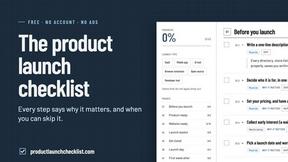
Product Launch Checklist
A free launch checklist for SaaS, apps, AI tools and more. Every step says why it matters and when you can skip it.
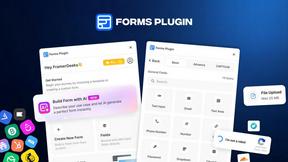
Forms Plugin
The #1 Native Form Builder Plugin for Framer - No Code, No Embeds, No External Platforms.
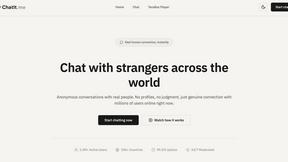
Chatit Me - Free Random Chat Alternative
Chat with random strangers online for free on ChatIt.me. Enjoy safe, anonymous, and instant 1-on-1 conversations with people worldwide
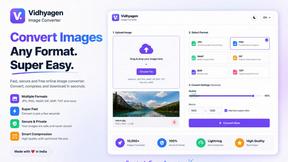
VidhyaGen
Fast, free, and privacy-first browser tool to convert, crop, resize, and compress images locally without server uploads.



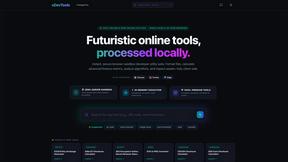
xDevTools
1000+ versatile developer tools: format, encode, calculate, and convert. All in your browser.