

Alternatives to Caesura
Caesura is a macOS menu-bar app that reminds you to drink water, stretch, rest your eyes, and breathe on science-backed intervals.
20 alternatives found
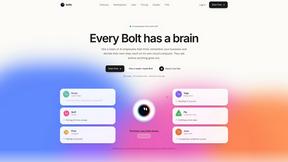
Bolts
AI employees with a brain that think, remember your business and work 24/7 on their own cloud computers.
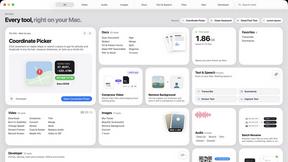
Toolbox
96 private Mac tools in one app: compress video, sign PDFs, remove backgrounds, transcribe. Offline, no account, pay once.


Outstanding Tiny Desk AI
Upload photos of you and your friends and get a 15-second Outstanding Tiny Desk AI video with AI-generated sound, in 9:16 for TikTok and Reels.

Safe Outreach
AI-powered platform that evaluates the safety of LinkedIn automation tools and helps reduce the risk of account restrictions.















About Caesura Alternatives
In the crowded field of digital wellness tools, Caesura stands out as a focused macOS menu-bar application designed to help desk workers maintain their physical health during long work sessions. Categorized under Productivity, Health, and Personal Development, Caesura provides gentle reminders to drink water, stretch, rest your eyes, and breathe, all managed through independent schedules. While its calm, minimalist approach and ability to coalesce overlapping reminders into a single break are highly regarded, users often seek alternatives for several practical reasons. These include the need for cross-platform support across Windows or Linux, a preference for a one-time purchase over a subscription model, or a desire for more granular customization of break types and intervals beyond what the current feature set offers. When evaluating alternatives to a tool like Caesura, you should prioritize clarity and non-intrusiveness above all else. A good break manager should interrupt your flow as little as possible while still being effective. Look for solutions that offer customizable schedules for different types of breaks, such as eye rest versus posture checks, and ensure the reminders are subtle—like a gentle notification rather than a jarring pop-up. Additionally, consider whether the tool integrates with your existing ecosystem, supports your operating system, and offers a pricing model that aligns with your budget, whether that is a free tier, a one-time fee, or a reasonable subscription.
FAQs about Caesura Alternatives
What is Caesura?
Caesura is a calm macOS menu-bar break manager designed for people who spend long hours at a desk. It provides gentle, timely reminders to drink water, walk, stretch your wrists, rest your eyes, check your posture, and breathe. Each reminder operates on its own independent schedule, and when two reminders fall close together, Caesura coalesces them into one gentle break to avoid interrupting you twice in a row.
Who is Caesura for?
Caesura is specifically designed for anyone working long hours at a desk, including remote workers, software developers, writers, designers, and other professionals who spend extended periods in front of a computer. It is ideal for individuals who want to maintain their physical health and habits without breaking their focus or dealing with cluttered interfaces.
Is Caesura free?
Caesura offers a free trial for 14 days, allowing users to test its features and determine if it fits their workflow. After the trial period, a subscription or purchase is required to continue using the app. There are no hidden accounts or clutter, just the core functionality of gentle break reminders.
What are the main features of Caesura?
The main features of Caesura include independent schedules for six distinct break types: drinking water, walking, stretching wrists, resting eyes, checking posture, and breathing. Its key innovation is the coalescing feature, which merges overlapping reminders into a single, calm break so you are never interrupted twice in a row. The app is entirely menu-bar based, requires no accounts, and focuses on delivering timely nudges without breaking your focus.