
Tagada
Tagada parses Gmail into clickable sentences for local highlighting and tagging, keeping your data private and boosting email efficiency.
Visit
About Tagada
Tagada is a specialized browser extension designed to transform how you read and reply to emails directly within Gmail. Unlike traditional methods that often involve writing responses in colored text inside the original message, Tagada offers a structured and efficient approach to email management. The core functionality of Tagada revolves around parsing incoming emails into individual, clickable sentences. This allows users to highlight, tag, and organize these sentences by category with a single click, creating a clean and organized view of the key information within a thread. The extension then automatically generates a reply template based on your selections, enabling you to respond faster and with greater clarity. A defining characteristic of Tagada is its commitment to privacy; all processing happens 100% locally on your device. There is no AI, no cloud processing, and no third-party servers involved, ensuring your email data never leaves your computer. Tagada is ideal for a wide range of professionals, including support teams, freelancers, consultants, and anyone who manages long and complex email threads. By cutting down response time, structuring replies logically, and keeping all data fully private, Tagada provides a powerful yet simple solution for enhancing email productivity within the familiar Gmail interface.
Features of Tagada
Instant Email Parsing
Tagada instantly breaks down complex, multi-paragraph emails into individual, selectable sentences. This parsing functionality transforms a dense block of text into a manageable list of distinct points, making it significantly easier to digest the core message. Instead of re-reading an entire email to find specific details, you can quickly scan the parsed sentences and identify the information that requires your attention, saving valuable time and reducing cognitive load.
One-Click Highlighting and Tagging
After parsing an email, you can highlight key sentences and tag them by category with a single click. This feature allows you to organize important details, action items, questions, or any other relevant information directly within the email view. By categorizing sentences, you create a structured overview of the email's content, which is particularly useful for tracking multiple topics or requests within a single thread, ensuring nothing gets overlooked.
Auto-Generated Reply Templates
Based on the sentences you have highlighted and tagged, Tagada automatically generates a clean and organized reply template. This feature eliminates the need to manually structure your response or copy and paste text from the original message. The generated template is built around the points that matter most to you, allowing you to focus on crafting your response rather than on formatting and organization, which leads to faster and more coherent replies.
100% Local and Private Processing
All of Tagada's processing, including email parsing, highlighting, and template generation, is executed directly on your local computer. Your email data is never sent to any external server, cloud service, or third-party provider. This ensures complete privacy and data security, as your sensitive communications remain entirely within your control and within the confines of your Gmail session. There is no AI, no data collection of your email content, and no compromise on privacy.
Use Cases of Tagada
Managing Long Email Threads for Project Managers
Project managers often juggle lengthy email threads with multiple stakeholders, each raising different points, questions, and status updates. Tagada allows them to parse these threads and highlight action items, deadlines, and decisions. By tagging these elements by category (e.g., "Action Required," "Decision Made," "Blockers"), the manager can quickly generate a structured reply that addresses each point, ensuring nothing is missed and all parties are aligned, all while maintaining the privacy of sensitive project data.
Streamlining Customer Support Responses
Customer support teams frequently handle repetitive inquiries that require addressing specific issues from a customer's email. With Tagada, a support agent can parse a customer's message, highlight the key problems or questions, and tag them (e.g., "Billing Issue," "Technical Problem"). The auto-generated reply template then helps the agent craft a precise and organized response that directly addresses each highlighted concern, reducing response time and improving the quality and clarity of customer interactions.
Enhancing Freelance Client Communication
Freelancers often receive project briefs, revision requests, and feedback via long emails. Tagada helps them parse these emails to identify key deliverables, specific changes, and client questions. By highlighting and tagging these sentences, the freelancer can create a clear checklist for their work. The auto-generated reply allows them to confirm each point or ask clarifying questions in a structured manner, leading to better communication, fewer misunderstandings, and more efficient project execution.
Organizing Information for Consultants
Consultants receive detailed emails from clients containing complex data, requirements, and strategic questions. Tagada enables them to parse these communications and highlight critical data points, key assumptions, and specific requests for analysis. By tagging these items by category (e.g., "Data Point," "Assumption," "Client Request"), the consultant can build a structured reply that demonstrates a thorough understanding of the client's needs, facilitating more insightful and organized recommendations.
Frequently Asked Questions
Is Tagada free to use?
Tagada can be used without a paid license, offering a limited set of functionalities. For users who require the full range of features, such as unlimited highlighting and template generation, a paid license is recommended to ensure the best possible experience.
What data does Tagada collect?
Tagada only collects essential data to enhance the user experience. This includes your first name, email address, and language preference. The extension respects your privacy and does not collect any unnecessary information, such as the content of your emails.
Do you send our emails to your servers?
No, your emails are never sent to any external servers. All processing performed by Tagada happens locally on your device. This design ensures that your data remains private and under your complete control at all times.
Some emails get broken; how can I fix it?
If an email appears corrupted or disorganized after using Tagada, the best solution is to disable the extension, reply to your emails as needed, and then re-enable it. This issue can occur with emails that have a specific or unusual structure that the extension is unable to parse correctly.
Pricing of Tagada
Tagada can be used without a paid license. However, you will be limited in terms of functionality. For a better experience, we suggest you purchase a license.
Explore more in this category:
Similar to Tagada

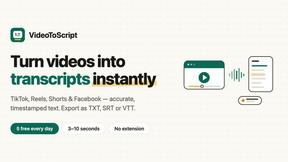
VideoToScript
Turn TikTok, Reels, Shorts, Facebook videos, audio, and video into accurate timestamped transcripts with TXT, SRT, and VTT exports.



TchoAI
Turn documents, notes, and data into clear, editable presentations in minutes.
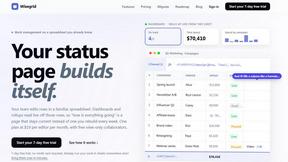
Wisegrid
Spreadsheet-native work management with AI formulas, dashboards, automation, reporting, and project views for growing teams.


Postqued
Schedule and publish social content across 10 platforms with one dashboard, API, and MCP built for teams and AI agents.