
Sprite-AI
Sprite-AI turns your text descriptions into pixel-perfect game sprites instantly, with easy editing tools and seamless download for any engine.
Visit
About Sprite-AI
Sprite-AI is an AI-powered pixel art generator designed specifically for indie game developers, hobbyists, and prototypers who need high-quality 2D assets quickly and efficiently. The platform allows users to describe a sprite in plain English, and it produces a clean, game-ready pixel art image in standard sizes of 32x32, 64x64, or 128x128 pixels, correctly sized for the intended role such as icons, items, characters, or hero and boss art. Once a sprite is generated, a built-in pixel editor provides essential tools including paint, erase, fill, and color-pick functions, enabling users to fine-tune every pixel before export. The final output is a transparent PNG file that drops straight into popular game engines like Unity, Godot, GameMaker, and Unreal. The platform also includes a community gallery for inspiration, prompt guides to help users craft better descriptions, and a token-based pricing model so users only pay for what they generate. With over 386,000 sprites already generated, Sprite-AI has proven itself as a valuable tool for accelerating game development workflows, reducing the time spent on asset creation from hours to seconds. The service is accessible via web browser with no installation required, and it offers a free tier for users to try before committing to a paid plan. Sprite-AI effectively bridges the gap between creative vision and technical execution, making pixel art accessible to anyone regardless of drawing skill.
Features of Sprite-AI
AI-Powered Sprite Generation
Describe any sprite in plain English, and Sprite-AI converts your words into a clean, game-ready pixel art image within seconds. The AI understands complex descriptions including colors, themes, poses, and equipment, allowing you to generate characters, items, icons, and environmental elements without any drawing skills. The system supports three standard output sizes of 32x32, 64x64, and 128x128 pixels, each optimized for different game roles from small icons to detailed hero or boss art.
Built-In Pixel Editor
After generation, a comprehensive pixel editor allows you to refine every aspect of your sprite with precision tools. You can paint individual pixels, erase unwanted areas, fill large sections with color, and use the color-pick tool to sample and match existing colors. This editor provides granular control over the final result, enabling you to add personal touches, fix minor details, or completely rework color schemes to match your game's aesthetic.
Seamless Game Engine Integration
Generated sprites export as transparent PNG files that are immediately compatible with all major game engines including Unity, Godot, GameMaker, and Unreal. The transparent background eliminates the need for additional preprocessing, allowing you to import assets directly into your project without conversion steps. The standardized pixel sizes ensure correct scaling and positioning within your game environment, saving valuable development time.
Community Gallery and Prompt Guides
The platform includes a growing community gallery where users can browse thousands of generated sprites for inspiration and ideas. Additionally, prompt guides provide best practices for crafting effective descriptions that yield better results from the AI. These resources help new users understand how to specify details like color palettes, art styles, character poses, and thematic elements to achieve their desired output more consistently.
Use Cases of Sprite-AI
Rapid Game Prototyping
Indie developers and game jam participants can generate entire sets of placeholder or final sprites in minutes instead of hours. When prototyping a new game concept, you can quickly produce characters, enemies, items, and environment tiles by simply describing what you need. This speed allows teams to iterate on game mechanics and visual design simultaneously, accelerating the development cycle and enabling more creative experimentation before committing to a final art direction.
Indie Game Production
Small development teams with limited art resources can use Sprite-AI to create production-quality assets for their games. The ability to generate sprites in standardized sizes ensures consistency across all game elements, while the pixel editor allows for fine-tuning to match an established art style. Teams can produce everything from player characters and NPCs to UI icons and environmental props, significantly reducing the need for outsourced art or additional hires.
Educational and Learning Projects
Students learning game development or pixel art can use Sprite-AI to quickly generate assets for their projects without getting bogged down in the technical aspects of pixel art creation. The platform serves as both a productivity tool and a learning resource, as users can study how different prompts produce different results and then use the editor to understand pixel-level design decisions. This makes it ideal for classroom settings, online courses, and self-directed learning.
Content Creation for Streaming and Tutorials
Content creators who produce game development tutorials, live coding streams, or asset showcases can generate sprites on the fly to demonstrate concepts without interrupting their workflow. The ability to describe and generate sprites in real-time allows creators to focus on teaching programming or design principles rather than spending time on asset creation. The community gallery also provides a source of pre-made examples that can be discussed and analyzed during educational content.
Frequently Asked Questions
What sizes of sprites can Sprite-AI generate?
Sprite-AI generates sprites in three standard pixel art sizes: 32x32, 64x64, and 128x128 pixels. The 32x32 size is ideal for small icons, items, and simple characters. The 64x64 size works well for medium-sized characters and detailed items. The 128x128 size is designed for hero or boss art and larger game elements that require more detail. You can choose the size that best fits your game's resolution and the specific role of the sprite.
Can I edit a sprite after it is generated?
Yes, every generated sprite can be edited using the built-in pixel editor. The editor includes tools for painting individual pixels, erasing areas, filling sections with color, and color-picking to match existing colors. This allows you to fine-tune the AI-generated result, add personal touches, fix any imperfections, or completely change the color scheme to match your game's aesthetic. The editor is designed to be intuitive and accessible even for users with no prior pixel art experience.
What game engines are compatible with exported sprites?
Exported sprites are transparent PNG files that work seamlessly with all major game engines including Unity, Godot, GameMaker, and Unreal Engine. The transparent background eliminates the need for additional processing or masking, allowing you to import the sprites directly into your project. The standardized pixel sizes ensure correct scaling and positioning within your game environment, making integration straightforward regardless of which engine you use.
How does the token-based pricing model work?
Sprite-AI uses a token-based pricing model where you only pay for what you generate. Each plan includes a set number of sprites per month, and unused sprites do not roll over. The Starter plan at $5 per month provides 8 sprites for hobbyists and side projects. The Creator plan at $8 per month (currently 38% off from $13) offers 20 sprites for indie developers. The Studio plan at $24 per month (also 38% off from $39) provides 75 sprites for teams and serious production. All plans include a full refund guarantee if the generated sprites are not game-ready.
Pricing of Sprite-AI
Sprite-AI offers three pricing tiers with a current launch discount of 38% off the Creator and Studio plans. The Starter plan costs $5 per month and includes 8 game-ready sprites, direct game engine integration, and access to the community gallery. The Creator plan is priced at $8 per month (down from $13) and includes 20 unique sprites monthly, PNG and SVG export formats, private art storage, and uncensored generations. The Studio plan costs $24 per month (down from $39) and includes 75 sprites per month along with all Creator features. All plans offer cancellation at any time, and the discounted pricing is locked in forever for subscribers. There are 386 out of 500 spots remaining at the launch price, which will increase at full release.
Similar to Sprite-AI
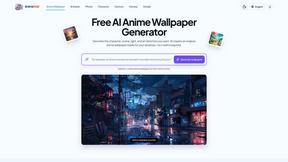
AnimeWall
Free AI anime wallpaper generator. Create original HD anime wallpapers and avatars from text prompts.

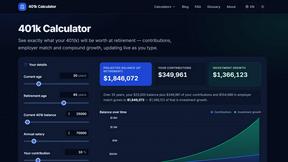
401k Calculator
401k Calculator.info is a free online tool to estimate retirement savings, employer match, and future 401(k) growth for smarter financial planning.

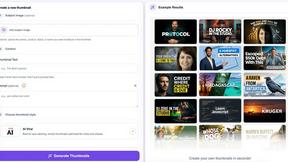
StopScroll
AI YouTube thumbnail maker that helps creators generate high-click thumbnails faster.
HubVanta AI
HubVanta AI helps creators generate images and videos with advanced AI tools for visual content workflows.
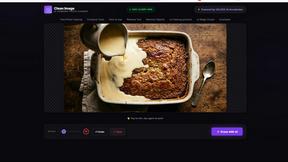
Clean Image AI-Powered Photo Cleanup
Clean Image is a private AI photo cleanup tool that removes text, logos, and blemishes locally in your browser with no data uploads.
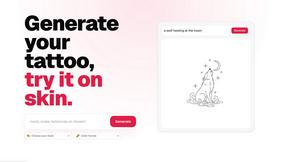
CustomTattoo AI
CustomTattoo AI lets you generate, preview, and refine tattoo designs on your own skin before booking with an artist.